Runway Gen-4.5
Runway's precision video model: 2–10 second shots that follow camera choreography and timed actions to the letter, plus Aleph 2.0 for editing existing footage by prompt.
Whisperer's verdict: 4.4 / 5
What it nails
- Best camera-control language
- Trusted for VFX-grade work
Watch out for
- Pricier per clip
At a glance: Runway. The live spec card, price calculator and Generate button show here on the site.
What Runway Gen-4.5 is
Runway is the studio-friendly video company — its tools sit inside real post-production pipelines, and Gen-4.5 is built for the person who knows the difference between a dolly and a zoom. Where other models improvise, Gen-4.5 obeys: describe a slow push-in that becomes a tilt at second three, and that is what you get. It is also one of the best models at animating a single still without changing what is in it.
What it does not do: sound. Gen-4.5 is picture only, 720p. That is not a flaw for editors — you add the mix later — but it means for a talking clip you should look at Kling 3.0 or Veo 3.1 instead.
Runway's own site requires a Standard plan or higher before you can touch Gen-4.5. In the Lab you open it in the video studio, pay 96 credits for a 5-second clip, and keep your credits forever.
Gen-4.5 vs Aleph 2.0 — two different jobs
| Gen-4.5 | Aleph 2.0 | |
|---|---|---|
| Input | Text, or one image + text | An existing video + instructions |
| Output | New 2–10 s clip | The same video, changed |
| Typical use | B-roll, product shots, animate a photo | Relight, change weather, remove or add objects, restyle |
| 5 s in the Lab | 96 credits | 225 credits |
How Gen-4.5 reads a prompt
Runway's official structure is one sentence you can copy: [Camera] shot of [subject] [action] in [environment]. [Supporting details]. Natural sentences beat keyword lists; Runway says so in its own guide, and it is true. Two rules matter more than anything:
- Text to video: describe the picture and the motion. Motion words: the horse rears, the camera tracks, leaves drift.
- Image to video: describe only the motion. The image already is the picture; re-describing it makes the model repaint it.
- Timestamps for beats: [00:00-00:02] the corgi turns its head, [00:02-00:05] slow zoom on its eyes.
Medium shot of a cowboy perched on a horse in a dusty canyon. The horse rears violently, dust bursts up, the cowboy holds on with one hand. Handheld camera with slight shake, late afternoon backlight, film grain.
Gen-4.5 text-to-video is 16:9 only. For vertical, start from a 9:16 image in image-to-video mode.
Every setting in the studio, explained
- Model — Gen-4.5 (create) or Aleph 2.0 (edit).
- Length — 2 to 10 seconds. Price is per second, so 4 seconds is genuinely cheaper than 5.
- Start image (Ingredients) — upload a still to animate. Aspect ratio follows the image: 16:9, 9:16, 1:1, 4:3, 3:4, 21:9.
- Prompt — one motion idea per clip; add a timestamp only when the beat must land at an exact second.
- Aleph: base video — upload the clip to edit, then tell it what to change and what to keep.
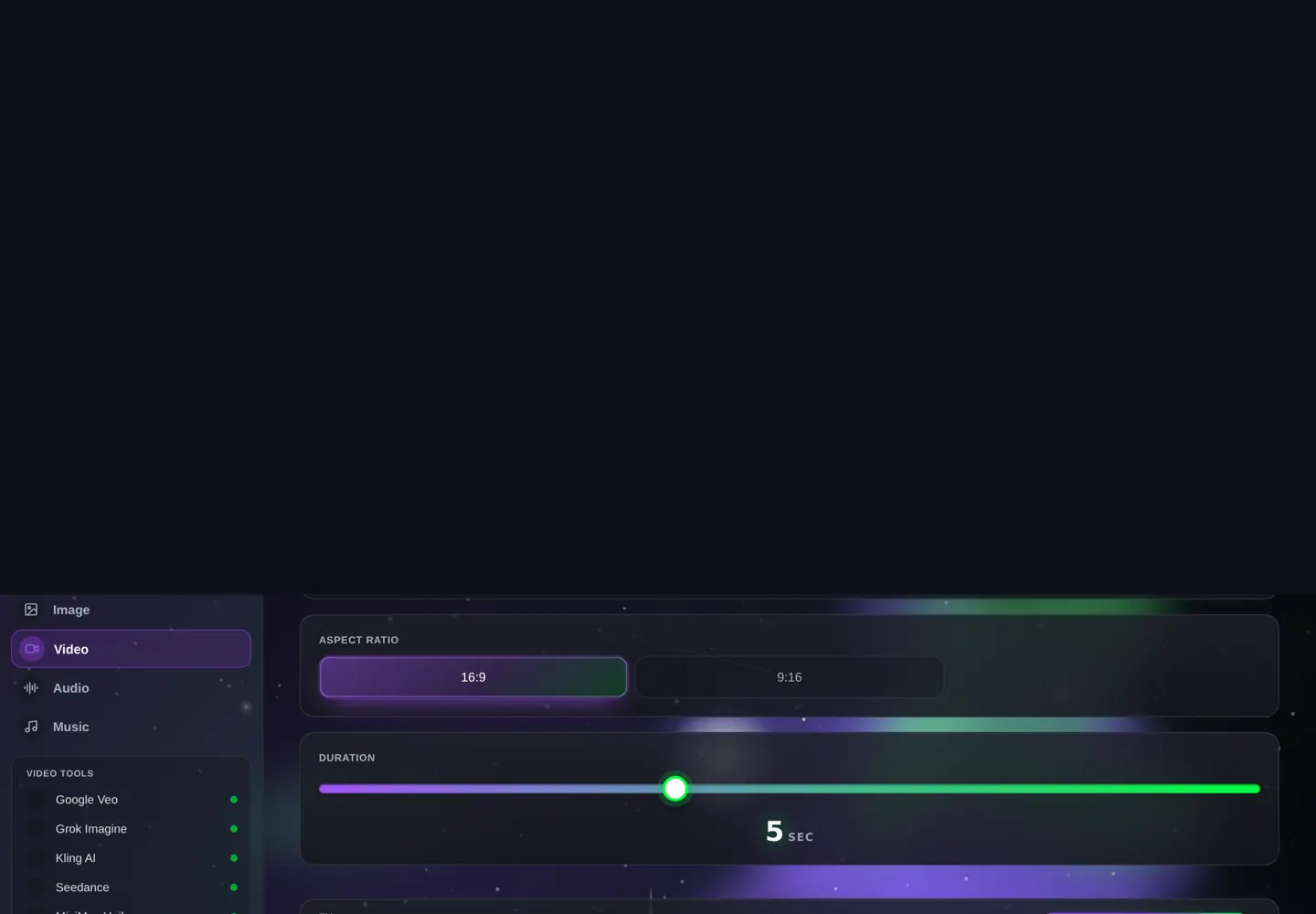
Your first Gen-4.5 clip, step by step
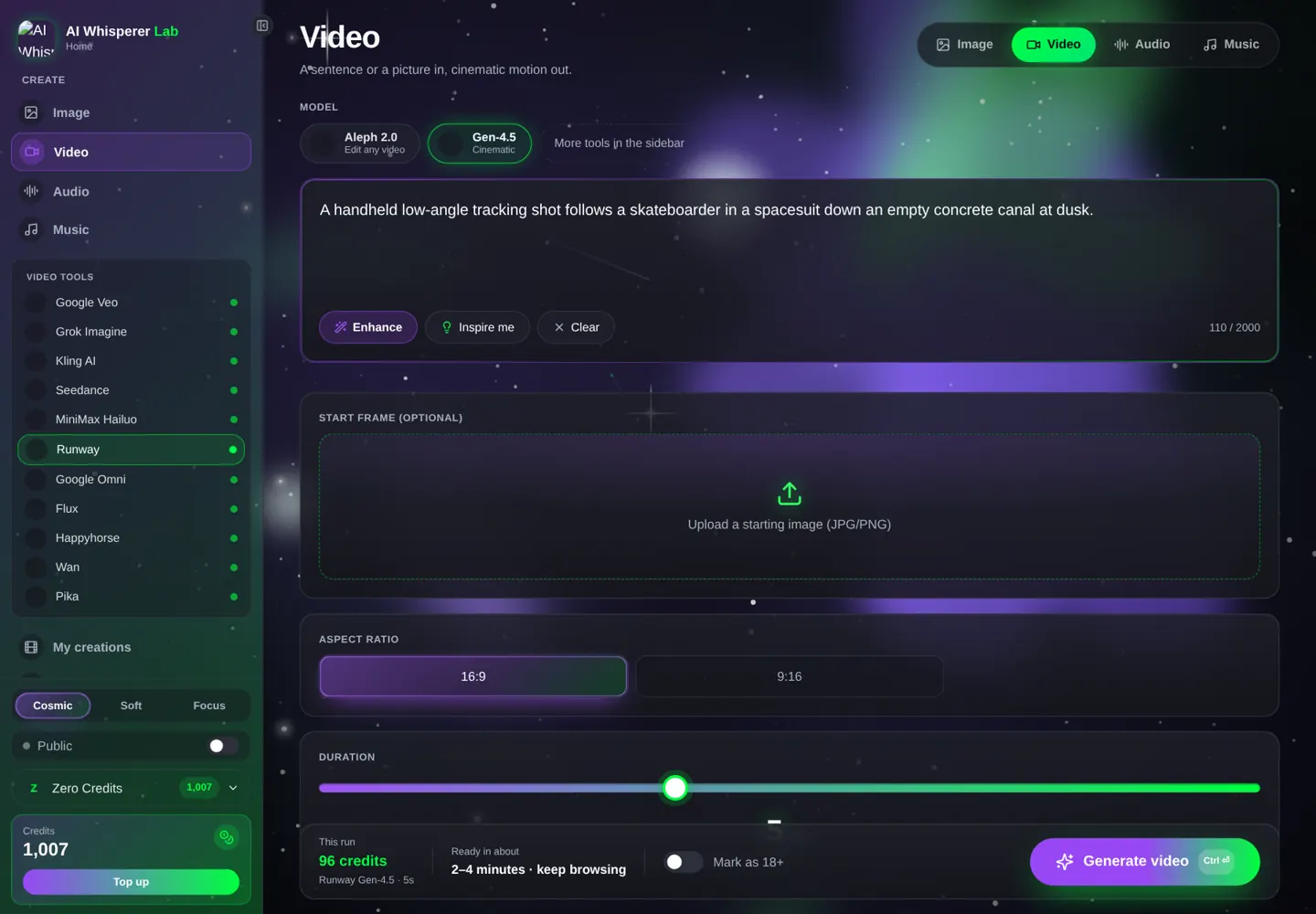
- Open the video studio, pick Runway, then Gen-4.5.
- Length 5 seconds. No image.
- Paste the prompt below (96 credits).
- Generate. Notice the camera does exactly one move — that is the habit to keep.
- Then try image-to-video: generate a still in the image studio, load it, and describe only motion.
A handheld low-angle tracking shot with low contrast follows a skateboarder in a spacesuit rolling down an empty concrete drainage canal at dusk. Sparks from the trucks, long shadows, cool blue sky.
12 prompts you can run right now
Camera choreography
Static wide shot of a foggy pier at dawn. [00:00-00:03] a fisherman walks in from the left and stops at the railing. [00:03-00:06] slow push-in on his hands as he casts. [00:06-00:08] the line arcs out and lands. Cold blue light, mist.
Slow 90-degree orbit around a chef plating a dish in a steel kitchen, steam rising, camera at counter height, shallow depth of field, warm tungsten light.
Low dolly forward through tall wet grass at sunrise, dew drops catching light, the camera rises slowly to reveal a red barn. Soft golden light, lens flare.
POV from the perspective of a bear approaching a hollow tree filled with honeycomb, paws entering the frame, bees drifting in the light. Forest, midday, dappled sun.
Products and brands
Macro shot of a mechanical watch face, the second hand sweeps, light glides across the sapphire glass as the camera tilts five degrees. Black background, single hard key light.
A ceramic pour-over coffee setup on a wooden table. Water pours in a thin spiral from a gooseneck kettle, bloom rising. Overhead camera, slow push-in, morning window light.
A raccoon in a plain white room in zero gravity trying to steal a silver trash can, both drifting slowly, the lid floating away. Even studio light, deadpan.
Image to video (describe only the motion)
The woman turns her head slowly toward the camera and blinks once; her hair moves in a light breeze; the background stays still. Gentle push-in.
The sneaker rotates a quarter turn on the turntable while the camera stays locked; a soft reflection slides across the toe.
Snow starts falling over the still street; car headlights pass in the background; the camera pushes in slowly toward the café door.
Aleph 2.0 edits
Change the time of day to golden hour, keep everything else identical: the people, their movement, the framing. Warm low sun from the left.
Remove the parked car on the right side of the frame and fill it with the same brick wall. Keep the walking woman untouched.
Image-to-video done right
The single most valuable Runway habit: build the frame elsewhere, animate it here. Gen-4.5 respects a still image better than almost any model — lighting, color, composition stay put. Generate the frame in the image studio (Flux 2 Pro and Nano Banana Pro both produce clean 16:9 stills), upload it as the start image, and write only what moves.
Flux 2 Pro → Gen-4.5 (the B-roll machine)
Cinematic still, a red vintage convertible parked on a coastal cliff road at sunset, ocean below, 16:9, 35 mm film look, no people.
The camera drifts slowly right; waves move below; the convertible's chrome catches a moving glint; a gull crosses the sky.
Gen-4.5 → ElevenLabs (sound for a silent clip)
Gen-4.5 has no audio. Make the voice-over or sound effects in the audio studio and lay them over the clip.
Some roads are not about getting there.
Mistakes that waste credits
- Re-describing the image. In image-to-video, describing the scene again makes Gen-4.5 repaint it. Motion only.
- Two camera moves. One per clip; add a second with a timestamp only if it truly starts later.
- Expecting dialogue. No audio here. Use Kling 3.0 or Veo 3.1 for talking.
- 10 seconds for a 3-second idea. Price is per second; buy what the beat needs.
- Vertical from text. Text mode is 16:9. Go through a 9:16 image.
What it costs, what it takes
| Model · settings | Credits | About | Typical wait |
|---|---|---|---|
| Gen-4.5 · 3 s | 58 | $0.58 | 1–2 min |
| Gen-4.5 · 5 s | 96 | $0.96 | 1–3 min |
| Gen-4.5 · 10 s | 192 | $1.92 | 2–4 min |
| Aleph 2.0 · 5 s edit | 225 | $2.25 | 3–5 min |
Runway's Standard plan is about $15 a month for a fixed pool of credits that expires. In the Lab a 5-second Gen-4.5 clip is under a dollar and the credits never expire.
FAQ
Does Runway Gen-4.5 generate audio?
No. It is picture only. Add a voice-over or effects from the audio studio, or in your editor.
How long can a Gen-4.5 clip be?
2 to 10 seconds, any whole number you choose.
What resolution does it output?
720p at 24 or 25 fps. Upscale in your editor if you need 1080p delivery.
Can I animate my own photo with Runway?
Yes — upload it as the start image and describe only the motion.
What is Aleph 2.0?
Runway's video-editing model: upload a clip and change lighting, weather, objects or style by prompt while keeping the rest.
Do I need a Runway subscription?
Not in the Lab. Gen-4.5 and Aleph 2.0 run per clip with credits that never expire.
Related tools
Kling 3.0 and Veo 3.1 for clips with dialogue · Seedance 2.5 for 30-second takes · Flux 2 Pro and Nano Banana Pro for the stills you animate. Same studio, one wallet.