MiniMax Hailuo
MiniMax's Hailuo 3.0 (H3): native 2K video with stereo sound, 5–15 second clips, and omni references — up to nine images, three clips and three audio files in one run.
At a glance: MiniMax Hailuo. The live spec card, price calculator and Generate button show here on the site.
What Hailuo H3 is
Hailuo is the video model from MiniMax, the Shanghai lab that made "Hailuo AI" a household name for image-to-video in 2025. H3 — Hailuo 3.0 — is the generation that went native 2K: a 1440-pixel short edge, roughly 3.7 megapixels per frame, at 24 fps, with stereo audio generated in the same pass. It also introduced omni reference: up to twelve files (nine images, three clips, three audio) that lock characters, products, camera style and voices.
H3 sits in a sweet spot: sharper than Wan, cheaper than Seedance 2.5, and better than both at keeping a referenced product looking like the product. Its weak spot is very long takes — plan 5 to 15 seconds and cut.
MiniMax sells Hailuo by subscription with daily caps. In the Lab, H3 is in the video studio per clip: 104 credits for five seconds at 2K, or 65 at 768p for drafts.
How Hailuo reads a prompt
Short, physical and camera-first. MiniMax's own examples are one sentence long — "A bottle catches the last light in a rooftop glasshouse" — and the model fills in the rest well. Add more only when you need control:
- One-sentence shot — subject + light + place.
- Camera — shot size and one move.
- Sound — ambience, and dialogue in quotes if any.
- References — "the woman from reference 1", "match the motion of the reference clip".
A bottle catches the last light in a rooftop glasshouse. Slow push-in at counter height, warm backlight, dust in the air. Sound: wind against glass, a soft chime.
Audio references need at least one image or video reference alongside them; audio alone will not run.
Every setting in the studio, explained
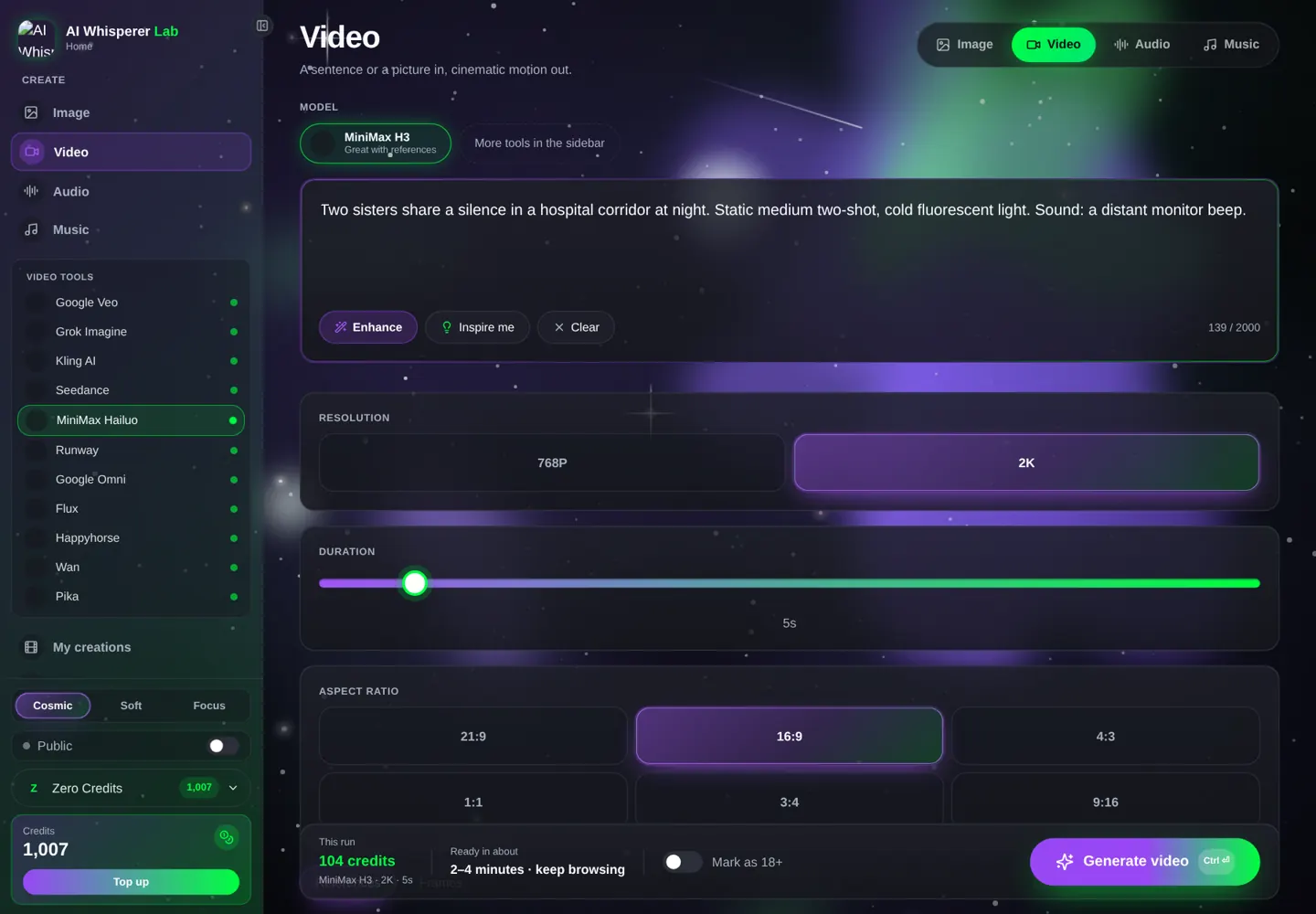
- Resolution — 2K for finals, 768p for tests (about 40% cheaper).
- Length — 5 to 15 seconds.
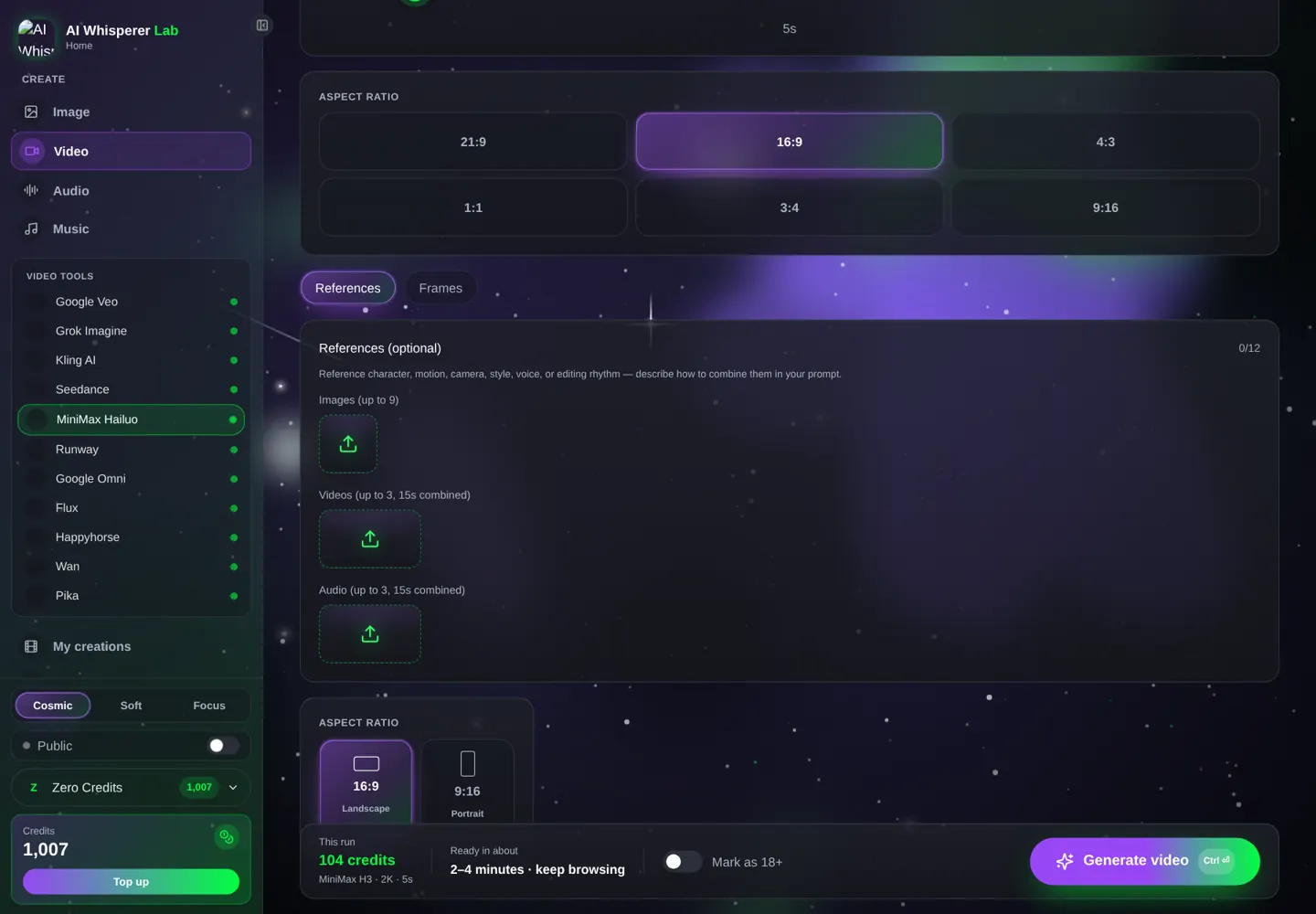
- Aspect ratio — 21:9, 16:9, 4:3, 1:1, 3:4, 9:16, or Auto with references.
- Reference images (up to 9) — people, products, locations. Reference clips (up to 3, 2–15 s each, 15 s total) for motion or camera style. Reference audio (up to 3) for a voice or a music bed.
- First / last frame — upload one or both to control where the shot starts and ends.
Your first Hailuo clip, step by step
- Open the video studio, pick MiniMax Hailuo, then MiniMax H3.
- 768p, 5 seconds, 16:9 for the test.
- Paste the prompt below (65 credits). Generate.
- Switch to 2K for the final (104 credits) — notice the difference on fabric and text.
Two sisters share a silence in a hospital corridor at night, one seated, one leaning on the wall. Static medium two-shot, cold fluorescent light. Sound: a distant monitor beep, a vending machine hum.
12 prompts you can run right now
Products and fashion (2K shines here)
A tonearm settles into the groove of a spinning record, extreme close-up, warm lamp light, dust motes. Static. Sound: needle crackle, the first bar of a slow soul track.
A model in a cream wool coat turns slowly on a rooftop at dusk, fabric catching the wind, city lights soft behind her. Medium shot, slow orbit. Sound: wind, distant traffic.
A ceramic vase on a linen cloth, morning sun sliding across it as a curtain moves. Static close-up, 2K detail on the glaze. Sound: curtain rustle, birds.
Vertical 9:16. Sneakers step into frame on wet concrete, the camera tracks low as they walk, neon reflections. Sound: footsteps, rain.
Scenes with sound
Orbital diagrams ink themselves onto black paper beside monospace credits, the camera pushes in slowly. Sound: pen scratches, a low synth pad.
A fisherman mends a net on a dock at dawn, gulls circling, the camera drifts from wide to medium. Sound: gulls, rope, water.
A woman at a window says quietly: "It's starting to snow." Close-up, soft grey light, breath fogging the glass. Sound: room tone, faint wind.
A drummer counts in — "one, two, three, four" — and hits the first beat, small club stage, red light. Medium shot, slight push. Sound: the count, the hit, crowd murmur.
Omni references (attach files first)
The woman from reference 1 holds the product from reference 2 up to the camera in a bright kitchen and smiles. Static medium. Sound: room tone.
Match the camera motion of the reference clip: a slow rising crane over the location in reference 1 at sunset. Sound: wind.
The speaker uses the reference audio voice. A man in a workshop says: "This took me a year." Warm work light, static. Sound: a fan, tools set down.
First frame and last frame provided: the coffee cup fills from empty to full in one smooth pour; camera locked. Sound: pouring, a final drip.
The 2K question: when it is worth it
H3's native 2K is real resolution, not an upscale, and it shows on three kinds of shots: fabric and texture (knitwear, leather, brushed metal), small text (labels, screens, signage kept from a reference), and wide shots with fine detail (crowds, foliage, city lights). On a talking close-up or a simple product turn, 768p looks nearly identical on a phone and costs 40% less.
A practical rule: draft everything at 768p, and re-run at 2K only the clips that will be shown on a big screen or cropped. Because H3 is deterministic enough with references, the 2K re-run of the same prompt lands very close to the draft — you are paying for sharpness, not gambling on a new take.
Multi-shot in one output
H3 can cut inside a single generation. Describe two or three shots with clear transitions — "Wide shot … cut to close-up …" — and give each at least four seconds. Fifteen seconds fits three shots comfortably. For consistency across the cuts, put the character and the product in the references; the model will carry them from shot to shot.
Seedream 5.0 Pro → Hailuo H3 (product ad at 2K)
Studio product photo of a ceramic vase on linen, morning window light, 16:9, ultra-sharp, no text.
First frame provided. Sunlight slides across the vase as a curtain moves; the camera pushes in slowly. Sound: curtain rustle, birds.
Hailuo → ElevenLabs
For a narrated product film, keep Hailuo on ambience and add a studio voice.
Made slowly, by hand, in a town of nine hundred people.
Mistakes that waste credits
- 2K drafts. Test at 768p; the motion is identical, only the sharpness changes.
- Audio reference alone. Pair it with an image or clip or the run fails.
- Sixteen seconds of story. Fifteen is the cap; three beats, not six.
- Unlabeled references. Say which reference is which.
- Reference clips over 15 s total. Trim before uploading.
What it costs, what it takes
| Settings | Credits | About | Typical wait |
|---|---|---|---|
| 768p · 5 s | 65 | $0.65 | 1–2 min |
| 2K · 5 s | 104 | $1.04 | 2–3 min |
| 2K · 10 s | 208 | $2.08 | 3–4 min |
| 2K · 15 s | 312 | $3.12 | 4–6 min |
Credits never expire; the exact price prints under the Generate button.
FAQ
What resolution does Hailuo H3 produce?
Native 2K (1440-pixel short edge) at 24 fps; a 768p economy mode for drafts.
How long can a clip be?
5 to 15 seconds, with multiple shots possible inside one clip.
What are omni references?
Up to nine images, three video clips and three audio files attached to one generation to lock people, products, motion and voices.
Does it make sound?
Yes — stereo audio, effects and spoken lines, generated with the picture.
Can I clone a voice with it?
You can attach a reference audio clip so the speaker uses that voice; pair it with an image or video reference.
Do I need a Hailuo subscription?
No. H3 runs in the Lab per clip with credits that never expire.
Related tools
Seedance 2.5 for 30-second takes with 50 references · Kling 3.0 for 4K and dialogue in five languages · Wan 3.0 for the cheapest drafts · Seedream 5.0 Pro for the sharp stills. Same studio, one wallet.