Murf AI
The voiceover studio for presentations, e-learning and videos: 200+ voices, fine control of every word's pitch and pace, dubbing and integrations with Canva, Google Slides and PowerPoint. A free mini-course.
What it nails
- Word-by-word pitch, speed and emphasis control
- Works inside Canva, Google Slides and PowerPoint
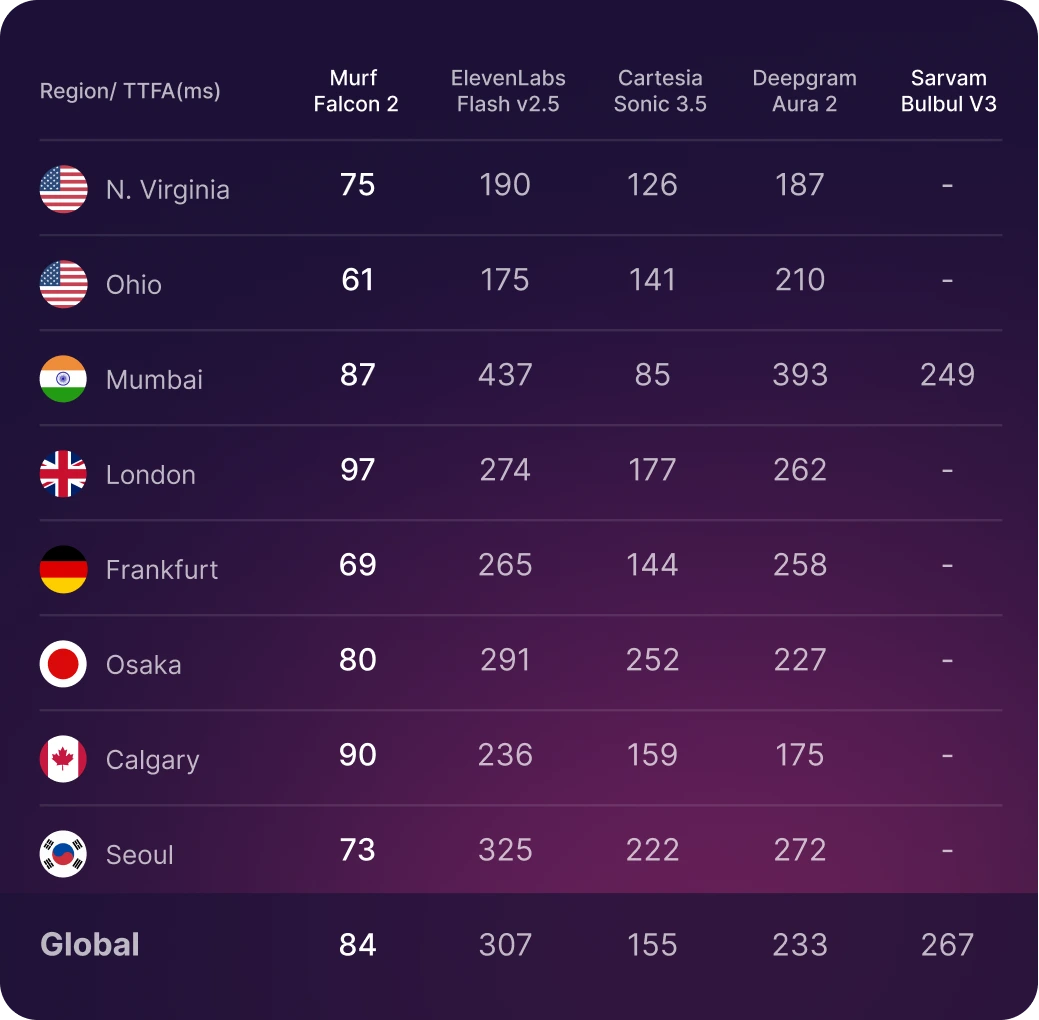
- Falcon 2 voices for real-time apps
Watch out for
- Voice cloning is Enterprise-only; no downloads on the free trial
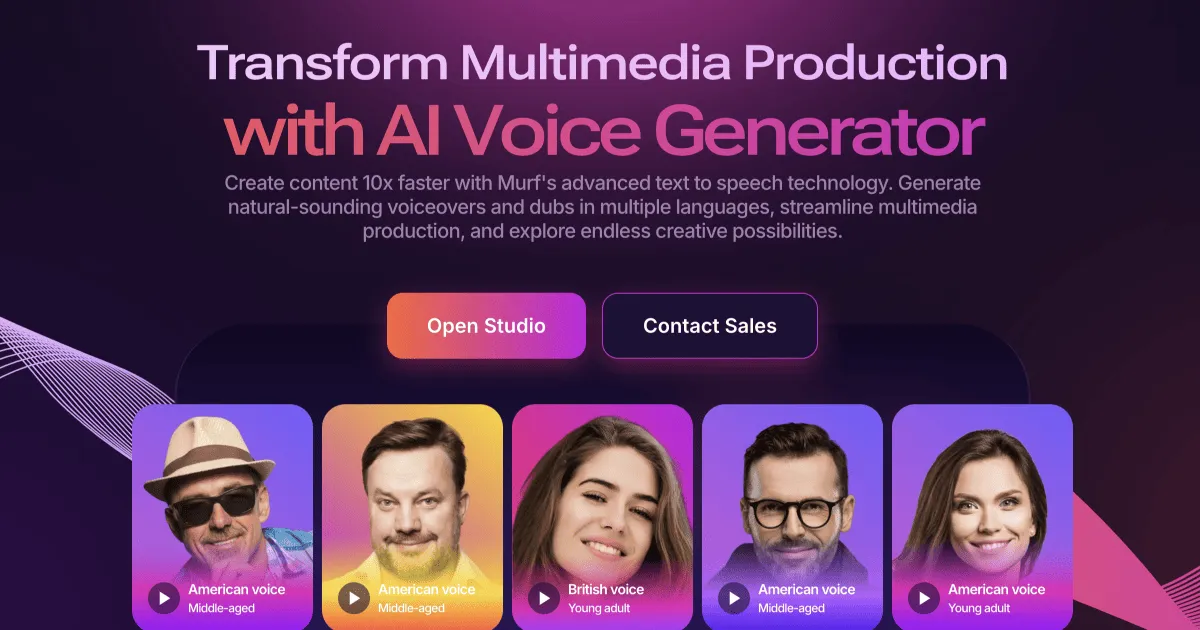
Murf is a voiceover studio built for people who make presentations, training courses, explainers and ads. You paste a script, pick one of 200+ voices in 35+ languages, and then shape every sentence: pauses, pitch, speed and word-by-word emphasis. Murf's Gen2 voices are "trained with over 70,000 hours of ethically sourced speech data", and Falcon 2 (June 2026) is its "ultra-fast" model for real-time voice apps.
Start here: the basics
- Try it free: 10 minutes of voice generation, no card needed (downloads need a paid plan).
- Paste your script and choose how to split it: by paragraph ("ideal for learning content, podcasts, and audiobooks"), by sentence ("best suited for video scripts or conversational content") or not at all (for ads and presentations).
- Pick a voice with the Gen2 label for the most natural delivery.
- Polish with pauses, speed, pitch and pronunciation, then export.
Lesson 1: write for the ear, not the eye
- One idea per sentence. Murf treats each sentence as its own block, so short sentences are easier to fine-tune.
- Punctuation is direction. Commas, full stops and colons already add natural pauses.
- Spell out numbers, symbols and abbreviations the way they should sound.
- Read it aloud once yourself. If you stumble, the voice will too.
Most people lose their audience in the first ten seconds.

Here's how to keep them. [pause 0.5s]

First, say the problem out loud. Second, promise the answer. Third, deliver it fast.

Let's try it together.
A teaching script: short sentences, one idea each, and a pause before the key line. Also runs in the Lab with ElevenLabs voices.
Lesson 2: Murf's controls
Pauses
Five presets from Extra Weak (0.25s) to Extra Strong (1.25s), or a custom pause with [pause Xs] from 0.1 to 5 seconds. You can also stretch blocks on the timeline.
Welcome to the course. [pause 1s] Today we cover three things.
Example by Murf AI · source ↗ · A teaching example of Murf's [pause Xs] syntax (0.1 to 5 seconds). Type "[" in Murf to pick it.
Speed and pitch
Both run from "-50% to +50%", per block or for the whole project. Pitch changes let one voice play several characters.
Word-by-word emphasis
On Gen2 voices, "control the pace and pitch of each word": double-click a word and drag its node up or down for pitch, left or right for speed. To stress a word, raise its pitch and slow it down. Emphasis is on Business and Enterprise plans.
Pronunciation
Pick from smart suggestions, type custom IPA without the slashes, or use an alternate spelling: "Live(verb) - livv", "Live(adjective) - laiv".
Say it My Way
"Record or upload sample audio for a sentence; the voices will mimic your delivery." The fastest way to get a line exactly as you hear it in your head.
Power moves
- AI Dubbing: upload a video and Murf "will create an AI-generated dub that preserves your original voice, timestamps, background music, and sound effects".
- AI Translation of whole Studio projects into Murf's languages.
- Integrations with Canva, Google Slides, PowerPoint, Adobe Captivate, Articulate 360 and more.
- Falcon 2 API for voice agents: "~100ms time-to-first-audio".
Plans
Murf's own blog (August 2026) lists: Free $0; Creator Lite $29 and Plus $49 per user per month; Business Lite $99 and Plus $199 per user per month; Enterprise custom.
- All paid plans include commercial rights; TV and radio broadcast rights are Enterprise-only.
- Unused voice time carries over only to the next month, and is lost if you cancel.
- Voice cloning is not self-serve: "We do not currently provide self-served Voice Cloning solutions."
Clone your own voice without an Enterprise plan
In AI Whisperer Lab you can clone your voice today, with ElevenLabs Voice Cloning in the Audio studio, then use it for text to speech or speech to speech. No subscription, pay per run, credits never expire, and your voices stay private to your account.
Murf wins on its studio: word-level emphasis, Say it My Way and the Canva and Slides integrations. For self-serve voice cloning, audio-tag acting and sound effects, use ElevenLabs in the Lab.
On Trustpilot (read 25 September 2026) Murf scores 4.6 from 186 reviews; complaints include cancelling subscriptions, a laggy studio and unused minutes that expire. On G2 some reviewers find it pricey for occasional use.
FAQ
Is Murf free?
There is a free trial with 10 minutes of voice generation, but downloads need a paid plan.
Can Murf clone my voice?
Only on Enterprise, through Murf's sales team. The Lab offers voice cloning with ElevenLabs by the run.
Does Murf work with Canva and Google Slides?
Yes, Murf integrates with Canva, Google Slides, PowerPoint and more.
How do I add a pause in Murf?
Use a pause preset, or type [pause 1s] (from 0.1 to 5 seconds) in the script.
Can I use Murf voiceovers commercially?
Yes, on all paid plans. TV and radio broadcasting needs Enterprise.
Sources: Murf AI · Falcon 2 · Pauses · Emphasis · Commercial rights · Voice cloning